Media and live camera
Load images and videos, or select a USB camera as a visual source in version 1.2.

Max for Live / Audio-reactive visual engine
Bring images, video and live camera input into an audio-reactive visual workflow inside Ableton Live. Blend sources, shape the result and build visuals that respond to your performance.
In your workflow
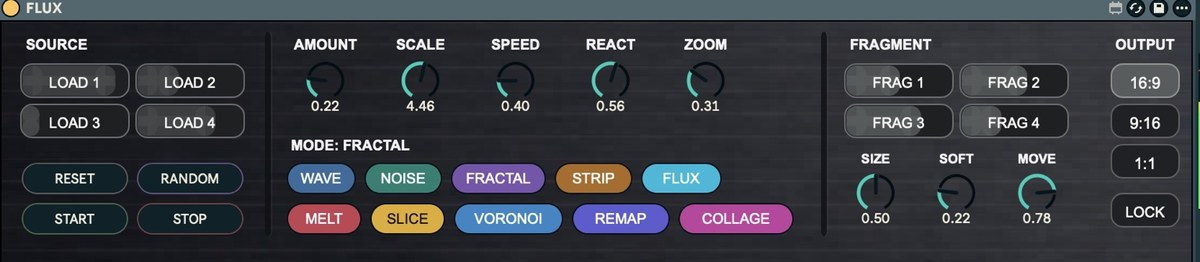
Explore visual modes, REACT and the Fragment Mixer, then send the final output to OBS through Syphon when needed. Choose landscape, portrait or square output without stretching your media.
Load images and videos, or select a USB camera as a visual source in version 1.2.
Use REACT, visual modes, zoom and the Fragment Mixer to shape the output.
Automate exposed Max for Live parameters and protect selected controls with Lock when using Random.
Choose 16:9, 9:16 or 1:1. The Syphon output is available as FLUX Visual for OBS capture.
Before you begin
macOS and Ableton Live with Max for Live. Developed and tested with Max 9.1.4. OBS with Syphon Client and Syphon for Jitter installed/available to Max are needed for OBS capture. Performance depends on media, hardware and GPU workload.
FLUX.amxd, FLUX User Manual v1.1, update notes for version 1.2 and license terms.
Source images, videos and camera hardware are not included. You are responsible for rights to the media you use.
Max for Live
€19 · One-time purchase
Online purchasing is being prepared. Please contact hello@xaudio.store with any questions.